
BUONE PRATICHE
https://mcme.splet.arnes.si/materials/
kahoot
1. Titolo/TITLE
Kahoot
2. insegnanti coinvolti/ TEACHERS
Daniela Della Scorciosa
3. Campo d’esperienza/ambito disciplinare/disciplina/ FIELD OF EXPERIENCE / DISCIPLINARY AREA / SUBJECTS
Conoscere le proprietà e le caratteristiche di diversi mezzi di comunicazione e farne un uso efficace e responsabile rispetto alle proprie necessità di studio e socializzazione. (Tecnologia-Indicazioni Nazionali)
4. Luogo e tempi/ PLACE AND TIMES
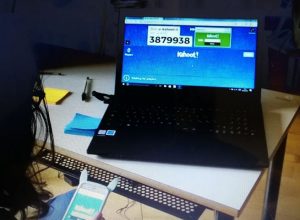
Ambiente: Palestra del plesso scuola primaria “Olmo di Riccio” fornita di postazioni con computer portatili per i ragazzi, video proiettore e pc per docenti e connessione wifi di tutti i devices.
Lezione Kahoot: il 20 e il 22 marzo 2018.
5. Soggetti coinvolti (discenti; docenti, interni e/o esterni; altri attori)/ PEOPLE INVOLVED (LEARNERS, TEACHERS, INTERNAL AND / OR EXTERNAL, OTHER ACTORS)
Alunni dei 5 Paesi coinvolti nel Progetto Erasmus “Modern Classroom, modern education”
6. Motivazioni/ REASONS
Favorire scambi di: socializzazione, dialogo interculturale (in lingua inglese) e contenuti delle discipline, veicolati in modo ludico e interattivo dall’uso di nuove applicazioni digitali.
7. Risultati attesi/ EXPECTED RESULTS
Conoscenza ed utilizzo autonomo dell’applicazione Kahoot.
8. Narrazione dell’esperienza/ NARRATION OF EXPERIENCE
MARTEDI’
Introduzione all’applicazione: cos’è Kahoot e cosa è possibile fare.
Esecuzione da parte dei ragazzi di un quiz sulle tradizioni culinarie delle 5 nazioni appartenenti al Progetto.
Sull’account del docente, i ragazzi guidati, hanno provato a creare un primo quiz su una festa della tradizione lancianese.
GIOVEDI’
Registrazione guidata dei ragazzi in possesso di indirizzo e-mail su Kahoot.
Suddivisi in piccoli gruppi, hanno riflettuto, elaborato e poi realizzato dei quiz matematici.
9. Modalità di verifica e valutazione dei risultati/ PRACTICAL VERIFICATION AND EVALUATION OF RESULTS
Realizzazione in piccoli gruppi di un quiz con Kahoot.
10. Eventuali prodotti realizzati (materiali, mostre, rappresentazioni, sussidi didattici, narrazioni, audiovisivi, cartelloni, ipertesti, ecc.)/ ANY PRODUCTS MADE (MATERIALS, EXHIBITIONS, PERFORMANCES, TEACHING AIDS, NARRATIVES, AUDIOVISUALS, POSTERS, HYPERTEXTS,.)
Quiz digitali
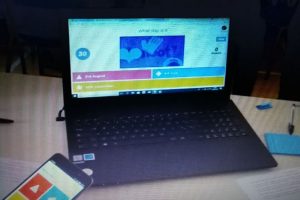
11. Foto delle attività proposte agli alunni./ PHOTOS OF THE ACTIVITIES OFFERED TO THE STUDENTS.
12. Risultati specifici verificati al termine dell’esperienza/ SPECIFIC RESULTS VERIFIED AT THE END OF THE EXPERIENCE
Maggiore scambio comunicativo e di intetarazione tra pari. Utilizzo condiviso, nel piccolo gruppo, dell’applicazione digitale per fruizione e produzione di contenuti disciplinari.
13. Punti di forza dell’esperienza realizzata/ STRENGTHS OF THE EXPERIENCE
Motivazione degli alunni alla conoscenza di nuove app, attività accattivante e positiva per la promozione di momenti di socializzazione e di condivisione degli apprendimenti.
14. Punti di debolezza dell’esperienza realizzata/ WEAKNESSES OF THE EXPERIENCE
Connessione wifi non sempre ottimizzata per le connessioni sincrone dei devices.
15. Contatti (recapito e.mail del curatore o altri riferimenti utili)/ CONTACTS (E-MAIL ADDRESS OF THE EDITOR OR OTHER USEFUL REFERENCES)
daniela.dellascorciosa@istruzione.it
=======================================================================
|
1. Titolo/TITLE ANIMOTO 2. insegnanti coinvolti/ TEACHERS AMOROSO DORIANA – NANNI GABRIELLA 3. Campo d’esperienza/ambito disciplinare/disciplina/ FIELD OF EXPERIENCE / DISCIPLINARY AREA / SUBJECTSTECNOLOGIA ( Dalle Indicazioni Nazionali per il curricolo “L’alunno conosce le proprietà e le caratteristiche dei diversi mezzi di comunicazione ed è in grado di farne un uso efficace e responsabile rispetto alle proprie necessità di studio e socializzazione”. 4. Luogo e tempi/ PLACE AND TIMESLanciano 19/23 marzo 2018. Palestra del plesso di Scuola Primaria “Olmo di riccio” fornita di postazioni con computer portatili per gli studenti, video proiettore, computer per i docenti e connessione wifi di tutti i devices. 5. Soggetti coinvolti (discenti; docenti, interni e/o esterni; altri attori)/ PEOPLE INVOLVED (LEARNERS, TEACHERS, INTERNAL AND / OR EXTERNAL, OTHER ACTORS)Docenti interni di matematica e tecnologia dell’istituto Comprensivo Don Milani, alunni italiani dell’Istituto e alunni stranieri dei 5 Paesi coinvolti nel progetto ERASMUS. 6. Motivazioni/ REASONSPromuovere didattiche innovative che favoriscano il lavoro in gruppi e utilizzino le nuove tecnologie; mettere a disposizione degli alunni strumenti innovativi che siano vicini alla loro realtà, per aumentare l’interesse e attivare canali di comunicazione facilitanti il percorso di apprendimento. 7. Risultati attesi/ EXPECTED RESULTSConoscenza e utilizzo in piena autonomia dell’applicazione ANIMOTO.8. Narrazione dell’esperienza/ NARRATION OF EXPERIENCENei giorni precedenti le insegnanti hanno creato una cartella contenente foto relative ai monumenti e alle tradizioni del territorio; la cartella è stata poi copiata sul desktop dei computer in modo tale che ogni studente potesse attingere al materiale per la realizzazione del video. Sono stati, inoltre, creati degli account per poter utilizzare l’applicazione in piccoli gruppi.Il primo giorno, il 20 marzo, l’insegnante ha introdotto l’applicazione mediante la proiezione di una presentazione in power point. Successivamente, gli alunni , guidati dall’insegnante, hanno provato a creare un breve video scegliendo l’argomento tra quelli proposti. Il giorno successivo, il 21 marzo, abbiamo visionato, per mezzo di un proiettore, i video realizzati dai diversi gruppi; subito dopo sono state illustrate delle funzioni per poter modificare i video già realizzati. Infine gli studenti ,in piena autonomia, hanno creato un nuovo video sui monumenti della città di Lanciano o sul Parco Nazionale d’Abruzzo. 9. Modalità di verifica e valutazione dei risultati/ PRACTICAL VERIFICATION AND EVALUATION OF RESULTSOsservazioni in itinere e finali relative alla conoscenza e all’utilizzo dell’applicazione. 10. Eventuali prodotti realizzati (materiali, mostre, rappresentazioni, sussidi didattici, narrazioni, audiovisivi, cartelloni, ipertesti, ecc.)/ ANY PRODUCTS MADE (MATERIALS, EXHIBITIONS, PERFORMANCES, TEACHING AIDS, NARRATIVES, AUDIOVISUALS, POSTERS, HYPERTEXTS,.)Breve video sui monumenti caratteristici della città di Lanciano e/o sulle principali tradizioni abruzzesi. 11. Foto delle attività proposte agli alunni./ PHOTOS OF THE ACTIVITIES OFFERED TO THE STUDENTS. 12. Risultati specifici verificati al termine dell’esperienza/ SPECIFIC RESULTS VERIFIED AT THE END OF THE EXPERIENCEMagliore scambio comunicativo e di interazione tra pari; utilizzo condiviso, nel piccolo gruppo, dell’applicazione per la produzione di contenuti disciplinari. 13. Punti di forza dell’esperienza realizzata/ STRENGTHS OF THE EXPERIENCE Favorire una cultura aperta alle innovazioni; aumentare la capacità di programmazione, di progettazione, di valutazione e di controllo da parte degli alunni; facilitare l’accesso ai contenuti presenti nel Web. 14. Punti di debolezza dell’esperienza realizzata/ WEAKNESSES OF THE EXPERIENCEConnessione Internet non sempre disponibile.15. Contatti (recapito e.mail del curatore o altri riferimenti utili)/ CONTACTS (E-MAIL ADDRESS OF THE EDITOR OR OTHER USEFUL REFERENCES)doriana.amoroso@istruzione.it – gabriellananni76@gmail.com |
|
1. Titolo/TITLEMindMaple 2. insegnanti coinvolti/ TEACHERS Raffaele Ciccocioppo 3. Campo d’esperienza/ambito disciplinare/disciplina/ FIELD OF EXPERIENCE / DISCIPLINARY AREA / SUBJECTSInformatica 4. Luogo e tempi/ PLACE AND TIMESLocali della scuola primaria; 2,5 ore (1 ora il 21/03/2018, 1,5 ore il 22/03/2018) 5. Soggetti coinvolti (discenti; docenti, interni e/o esterni; altri attori)/ PEOPLE INVOLVED (LEARNERS, TEACHERS, INTERNAL AND / OR EXTERNAL, OTHER ACTORS)Alunni ospiti ed alunni ospitanti del progetto ERASMUS+ “Modern classrooms, modern education” 19/23 marzo 20186. Motivazioni/ REASONS La presente Unità di apprendimento nasce dall’esigenza degli alunni di acquisire competenze nell’uso di uno strumento innovativo per la costruzione di mappe concettuali digitali. In un’era in cui si va verso la digitalizzazione delle relazioni, dei riassunti e delle ricerche è fondamentale potervi inserire delle mappe concettuali anch’esse create in formato digitale. 7. Risultati attesi/ EXPECTED RESULTSFar sviluppare agli alunni le competenze informatiche per l’utilizzo del software MindMaple. 8. Narrazione dell’esperienza/ NARRATION OF EXPERIENCEGli alunni sono stati invitati a realizzare una mappa concettuale che rappresentasse il percorso che hanno seguito nel visitare il centro storico di Lanciano il giorno lunedì 19 marzo. Si è proceduto in primo luogo nello spiegare le funzioni di base del software e nell’illustrarne le sue potenzialità; successivamente si è chiesto agli alunni di riprodurre schematicamente, attraverso una mappa concettuale, il percorso che hanno seguito nella visita alla Città di Lanciano inserendo, per ogni tappa, una breve descrizione del monumento visitato. 9. Modalità di verifica e valutazione dei risultati/ PRACTICAL VERIFICATION AND EVALUATION OF RESULTSLa fase di realizzazione della mappa concettuale coincide con la fase di verifica. La valutazione prevede:⦁ una fase di valutazione formativa in cui si osserva la capacità di ascolto, la partecipazione all’attività laboratoriale ed i progressi compiuti in itinere;⦁ una fase di valutazione sommativa in cui si valuta il risultato complessivo dell’unità di apprendimento. 10. Eventuali prodotti realizzati (materiali, mostre, rappresentazioni, sussidi didattici, narrazioni, audiovisivi, cartelloni, ipertesti, ecc.)/ ANY PRODUCTS MADE (MATERIALS, EXHIBITIONS, PERFORMANCES, TEACHING AIDS, NARRATIVES, AUDIOVISUALS, POSTERS, HYPERTEXTS,.)I prodotti realizzati sono le mappe concettuali in formato digitale personalizzate a piacere da ciascun gruppo di lavoro. 11. Foto delle attività proposte agli alunni./ PHOTOS OF THE ACTIVITIES OFFERED TO THE STUDENTS. 12. Risultati specifici verificati al termine dell’esperienza/ SPECIFIC RESULTS VERIFIED AT THE END OF THE EXPERIENCESono stati verificati: 1) la capacità di sintesi; 2) la capacità di relazionarsi con gli altri; 3) le competenze digitali. 13. Punti di forza dell’esperienza realizzata/ STRENGTHS OF THE EXPERIENCE Un’attività laboratoriale digitale, proprio per le sue caratteristiche, riesce a coinvolgere gli alunni desiderosi di completare il proprio prodotto .14. Punti di debolezza dell’esperienza realizzata/ WEAKNESSES OF THE EXPERIENCE15. Contatti (recapito e.mail del curatore o altri riferimenti utili)/ CONTACTS (E-MAIL ADDRESS OF THE EDITOR OR OTHER USEFUL REFERENCES)raffaele.ciccocioppo@gmail.com |
|
1. TITLE Voki 2. TEACHERS Claudia Cirone 3. FIELD OF EXPERIENCE / DISCIPLINARY AREA / SUBJECTSICT, History, Interculture 4. PLACE AND TIMESRiccio Olmo gym used as a computer lab with “islands” equipped with IT equipment. 5. PEOPLE INVOLVED (LEARNERS, TEACHERS, INTERNAL AND / OR EXTERNAL, OTHER ACTORS)Learners: students of the Don Milani Institute and foreign students from the following countries: Slovenia, Turkey, Greece and Romania participating in the Erasmus project: “Modern classrooms, modern education” 6. REASONSTo promote intercultural exchange among children of different backgrounds, languages and cultures through the use of the Voky tool. 7. EXPECTED RESULTSThe students were able to explore the various potentials of the tool and build short presentations about themselves and their interests, or to their place of origin using a talking avatar. 8. NARRATION OF EXPERIENCEIn the first phase the students were invited to enter the Voki platform with the credentials already prepared for them.Subsequently, the characteristics and potential of the tool were illustrated; In fact, Voki is an original tool allowing you to directly create personalized animations online. The animations consist of human figures that can be customized in detail.It is even possible to give them our voice, starting a recording using a microphone, or selecting the audio by typing the text of the sentences and selecting the language.At the end some examples of presentations created with Voki were proposed, using the “Lesson Plans” section where you can review creations already made.To start, they created their avatar and then inserted it into a small presentation that enriched them with backgrounds using different images. 9. PRACTICAL VERIFICATION AND EVALUATION OF RESULTSAll the guys had fun creating avatars (including celebrities) and giving them a voice. From the platform it was possible to view the materials produced and to share the presentations to get new ideas, thus enriching their own. 10. ANY PRODUCTS MADE (MATERIALS, EXHIBITIONS, PERFORMANCES, TEACHING AIDS, NARRATIVES, AUDIOVISUALS, POSTERS, HYPERTEXTS,.) 11. PHOTOS OF THE ACTIVITIES OFFERED TO THE STUDENTS. 12. SPECIFIC RESULTS VERIFIED AT THE END OF THE EXPERIENCE– acquisition of specific skills related to Voki tool use– improvement of general skills in Information Technology through the use of specific platforms– implementation of the ability to work in a team– improvement of the phases management of the planning organization and of the contents related to the experience. 13. STRENGTHS OF THE EXPERIENCE All the children participated actively in the proposed activities, collaborating each other in a profitable way, also through the use of the English language. 14. WEAKNESSES OF THE EXPERIENCEUnfortunately, there have been several moments in which technical problems, due to both the connection and to some IT equipment, that have hindered the proposed activities 15. CONTACTS (E-MAIL ADDRESS OF THE EDITOR OR OTHER USEFUL REFERENCES)claudiacirone@hotmail.com |
1. Titolo/TITLEGEOGEBRA– geometria in azione2. insegnanti coinvolti/ TEACHERSInes Palena3. Campo d’esperienza/ambito disciplinare/disciplina/ FIELD OF EXPERIENCE / DISCIPLINARY AREA / SUBJECTSScienze e matematica4. Luogo e tempi/ PLACE AND TIMESScuola primaria di Olmo di Riccio5. Soggetti coinvolti (discenti; docenti, interni e/o esterni; altri attori)/ PEOPLE INVOLVED (LEARNERS, TEACHERS, INTERNAL AND / OR EXTERNAL, OTHER ACTORS)Alunni stranieri e italiani che hanno partecipato all’Erasmus “Modern classrooms, modern education”; docenti assistenti6. Motivazioni/ REASONSFar conoscere uno strumento tecnologico utile per il disegno e lo studio di figure geometriche e rappresentazioni su piano cartesiano7. Risultati attesi/ EXPECTED RESULTSInteresse e maggiore motivazione nello studio della geometria8. Narrazione dell’esperienza/ NARRATION OF EXPERIENCEL’attività è iniziata con una presentazione generica su Geogebra e sui suoi tools, facendo provare direttamente ai ragazzi, che sono stati divisi a coppie con un computer ciascuna, a disegnare alcuni enti geometrici sul piano cartesiano (punti, rette, segmenti, poligoni…) e a misurarne area e perimetro. In un secondo momento è stato chiesto agli allievi di ricostruire il percorso svolto durante il tour del centro storico di Lanciano, riconoscendo e segnando su una mappa stereofotografia, posta sugli assi cartesiani, i luoghi di interesse visitati; dopodiché sono stati portati a calcolare la lunghezza del percorso svolto, facendo il rapporto da cm a m.9. Modalità di verifica e valutazione dei risultati/ PRACTICAL VERIFICATION AND EVALUATION OF RESULTSI risultati sono stati valutati in itinere, direttamente osservando i lavori svolti dai ragazzi.10. Eventuali prodotti realizzati (materiali, mostre, rappresentazioni, sussidi didattici, narrazioni, audiovisivi, cartelloni, ipertesti, ecc.)/ ANY PRODUCTS MADE (MATERIALS, EXHIBITIONS, PERFORMANCES, TEACHING AIDS, NARRATIVES, AUDIOVISUALS, POSTERS, HYPERTEXTS,.)11. Foto delle attività proposte agli alunni./ PHOTOS OF THE ACTIVITIES OFFERED TO THE STUDENTS.12. Risultati specifici verificati al termine dell’esperienza/ SPECIFIC RESULTS VERIFIED AT THE END OF THE EXPERIENCEMaggior interesse per il disegno e lo studio delle figure geometriche e del calcolo delle lunghezze13. Punti di forza dell’esperienza realizzata/ STRENGTHS OF THE EXPERIENCEL’attività è stata molto pratica, incentrata sull’applicazione diretta dei concetti e degli strumenti mostrati; i ragazzi sono stati lasciati liberi di procedere per tentativi ed errori, in modo da costruire da soli il loro percorso di apprendimento14. Punti di debolezza dell’esperienza realizzata/ WEAKNESSES OF THE EXPERIENCELa difficoltà nel riconoscere i luoghi visitati ha rallentato e reso più complesso del previsto la seconda parte dell’attività15. Contatti (recapito e.mail del curatore o altri riferimenti utili)/ CONTACTS (E-MAIL ADDRESS OF THE EDITOR OR OTHER USEFUL REFERENCES)ines.palena@gmail.com |
LEZIONI DI MATEMATICA:
MODERN CLASSROOMS, MODERN EDUCATION |
||
I. C. “DON MILANI” – LANCIANOTEACHER: INES PALENA |
||
lesson plan: MATH |
resources: pREZI, KAHOOT |
|
level: lower secondary |
|
|
Age of students: 11 |
|
|
UNIT: NATURAL NUMBERS |
|
|
GENERAL GOALS:Students will know definitions, ways of representation and properties of natural numbers. |
||
VOCABULARY covered during the lesson:Positive integers, nonnegative integers, consecutive, ordinal, cardinal numbers |
||
REQUIRED PRE KNOWLEDGE:general knowledge about numbers and operations, Eulero-Venn diagram, Kahoot abilities |
||
SPECIFIC OBJECTIVES (specific skills / information that will be learnt):Students recognize natural numbers, compare and list them in ascendent and discendent order, represent numbers in an oriented half-line |
||
MATERIALS NEEDED:
|
OTHER MATERIALS NEEDED: (realia, apps or programs):
|
|
|
TEACHER |
STUDENT |
LEAD IN (BRAINSTORMING):The teacher asks the students what they know about natural numbers, if they know a definition, some properties…DIGITAL LESSONThe teacher introduces the lesson about natural numbers with a Prezi presentation https://prezi.com/uwjjv6_0mvvw/natural-numbers/, interacting with students by making them practiceTESTThe teacher invites students to connect to KAHOOT and play the natural numbers quiz (if it is not working copy and paste the following link:https://play.kahoot.it/#/?quizId=24b40643-56df-441f-9884-584687855e63)CLOSURE:The teacher ask the students if there’s something they didn’t understand, and answer some questions. |
Students talk about what they knowStudents listen and actively participate, practicing what they have just learntStudents play the quiz in small group or in couple (it depends on the number of available computers or, if not available at all, on the other devices such as tablets or cell-phones)Students think about their learning during the lesson and eventually ask for clarifications. |
MODERN CLASSROOMS, MODERN EDUCATION |
||
I. C. “DON MILANI” – LANCIANOTEACHER: INES PALENA |
||
lesson plan:MATH |
resources: mindmaple, geogebra |
|
level: lower secondary |
|
|
Age of students: 11 |
|
|
UNIT: POLYGONS |
|
|
GENERAL GOALS:Students will know definition, classification and properties of polygons, in particular the normal one |
||
VOCABULARY covered during the lesson:Regular, irregular, diagonal, perimeter, convex, concave, exterior and interior angles |
||
REQUIRED PRE KNOWLEDGE:general knowledge about plan geometry (segment, angle etc.) |
||
SPECIFIC OBJECTIVES (specify skills / information that will be learned):Students recognize polygons, compare and classify them, calculate perimeter, draw diagonals, interior and exterior angles |
||
MATERIALS NEEDED:
|
OTHER MATERIALS NEEDED: (realia, apps or programs):
|
|
|
TEACHER |
STUDENT |
LEAD IN:The teacher start the lesson by inviting the students to play a game on Geogebra, about the famous Archimede puzzle Stomachion (see the solution)DIGITAL LESSONAfter the game, the teacher asks what are all the shapes in the Stomachion, and introduce polygons lesson using a map created with MindMaplePRACTICAL ACTIVITYThe teacher invite students to open Geogebra, and present step by step how to draw regular polygons, how to calculate perimeter, interior and exterior angles etc. as showed on this link regular polygonCLOSURE:The teacher propose to the students some exercises to make on Geogebra:diagonalsexterior angles |
Students try to solve the puzzleStudents listen and actively participate, practicing what learned with some online activityinteractive polygonsrecognise polygonsStudents follow step by step teacher’s indication on Geogebra app, and practice by themselves in small group or in couple (it depends on the numbers of available computers or, if not available at all, on the other advice such as tablet or cell phone)Students put in practice what they have learned by doing some online activities |
LEZIONI DI LETTERATURA:
MODERN CLASSROOMS, MODERN EDUCATION |
||
I. C. “DON MILANI” – LANCIANOTEACHER: Daniela Della Scorciosa |
||
lesson plan: Literature |
resources: Power point, ANIMOTO, PADLET |
|
level: lower secondary |
|
|
Age of students: 11 |
|
|
UNIT: DIVINE COMEDY |
|
|
GENERAL GOALS:Italian students will ask foreigner students about Dante Alighieri and his masterpiece, they will show by a Power Point the main characters and the Hell, words about feelings. |
||
VOCABULARY covered during the lesson:Description, the use of words description about Dante, the Divine Comedy and Hell, word about feelings. |
||
REQUIRED PRE KNOWLEDGE:Personal meditation about good behaviour in order to improve their life, Padlet activities |
||
SPECIFIC OBJECTIVES (specific skills / information that will be learnt):Students will know Dante and his Divine Comedy; its importance for our country as a masterpiece. |
||
MATERIALS NEEDED:
|
OTHER MATERIALS NEEDED: (realia, apps or programs):
|
|
|
TEACHER |
STUDENT |
LEAD IN (BRAINSTORMING):The pupil-teacher asks the students what they know about Dante Alighieri and the Divine ComedyDIGITAL LESSONThe pupil-teacher introduces the lesson about the First six poetic verses about Hell with ANIMOTOhttps://animoto.com/play/43qYv4L1ESU1GS8KFmdM3wTESTThe teacher invites students to write with PADLET some good intentions for improve their life.https://padlet.com/danieladellasco/8ra4cacjhi7iCLOSURE:The pupil-teacher asks the students if there’s something they didn’t understand, and answers some questions. |
Students talk about what they knowStudents find out the meaning about the First six poetic versesStudents (in small group) think and write their good intentions with Padlet. They all use the same computer.Students think about their learning during the lesson and eventually ask for clarifications. |
MODERN CLASSROOMS, MODERN EDUCATION |
||
I. C. “DON MILANI” – LANCIANOTEACHER: Daniela Della Scorciosa |
||
lesson plan: Literature |
resources: PAINT, KAHOOT |
|
level: lower secondary |
|
|
Age of students: 11 |
|
|
UNIT: STORYLAB: PINOCCHIO |
|
|
GENERAL GOALS:Italians students will introduce Pinocchio and the main characters of the story. |
||
VOCABULARY covered during the lesson:Characters’ names, physical and personality, features paint activities: geometrical shapes to draw Pinocchio. |
||
REQUIRED PRE KNOWLEDGE:Kahoot abilities, knowledge about geometrical shapes, paint abilities about: rectangles, squares circles, triangles etc.. |
||
SPECIFIC OBJECTIVES (specific skills / information that will be learnt):Students will know Pinocchio story and its importance for our country as a masterpiece. |
||
MATERIALS NEEDED:
|
OTHER MATERIALS NEEDED: (realia, apps or programs):
|
|
|
TEACHER |
STUDENT |
LEAD IN (BRAINSTORMING):The teacher asks the students whatthey know about Pinocchio and the novelDIGITAL LESSONThe Italian students introduce the lesson about the story characters by Kahoothttps://play.kahoot.it/#/k/85d7b9d0-5e14-46cd-8a0f-ce8de01befebTESTThe pupil-teacher invites students to connect Kahoot and play a quiz about charactersCLOSURE:The pupil-teacher asks the students if there’s something they didn’t understand, and answer some questions .Then invites the students to use Paint to draw and colour Pinocchio |
Students talk about what they know.Students listen and actively participate, practicing what they have just learnt.Students play in small group or in couple (it depends on the number of available computers or, if they are not available, they can use other means, mobile-phone…)Students think about their learning during the lesson and eventually ask for clarifications.Students draw and paint Pinocchio using PAINT |